Ehem ehem..... hari ni aku nk jadi hackers yer...dan cube nk menjadi cikgu sebentar...hehehe hahaah....... saja nk kongsikan tutorial ngan semua blogger2..kot kot la masih ada yg tak tau..cewahhh
ok nmpk tajuk di atas
mari kita belajar ye macam mana nk UNBLOCK sites yg diBLOCK di ofis korang tu....
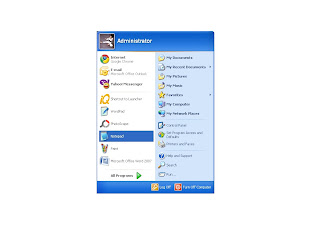
1. langkah pertama - buka notepad anda semua.buka dengan RUN AS ADMINISTRATOR ok.... sbb hanya admin yg boleh SETTING SEMULA ..kecuali jika PC anda milik personal....
( kalau tak tau password just create new one coz aku pun create new jugak tanpa perlu letak OLD PASSWORD.. tula kelemahan dia yg paling ketara sekali )
1. first step - open your notepad n RUN AS ADMINISTRATOR ok.... because only admin can do all the setting inside... except if your PC is your personal one ( if you dont know the password just create the new one coz i also do the same without willing you to put the old password )
TRY N SEE!!
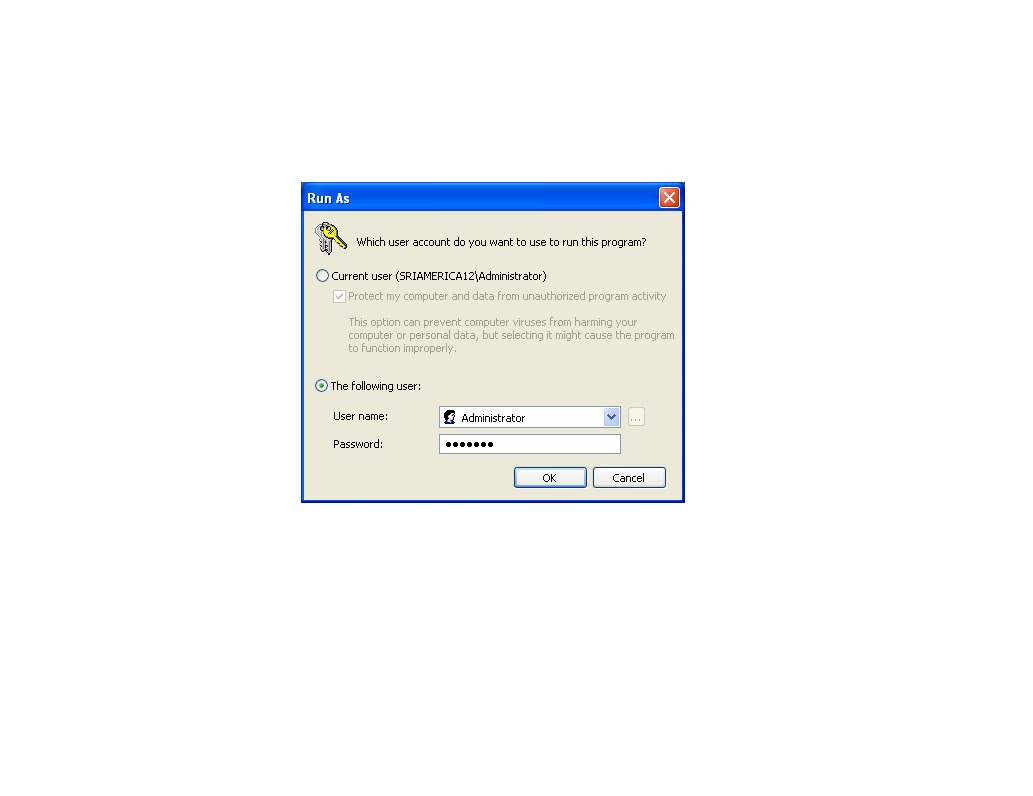
2. bila kita tekan run as dia akan keluar macam ni..sila letak password admin anda ok
2. it will turn out like this...please put in your admin password ok
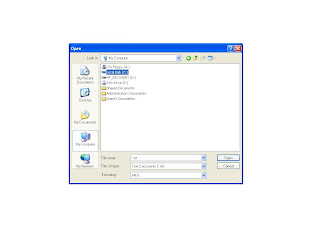
3. lepas tu pegi kt my computer n select Locak Disk(c)
3. then go to my computer then select Local Disk(c)
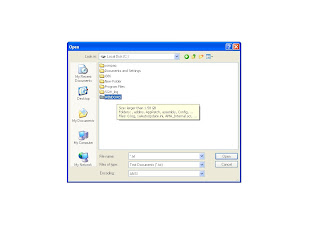
4. pilih windows
4. choose windows
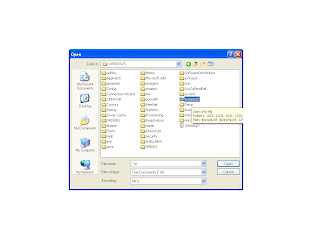
5. pilih system32
5. choose system32
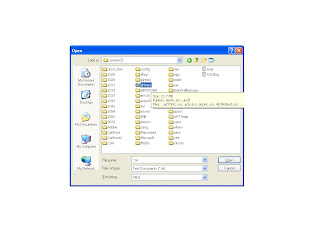
6. pilih drivers
7. choose drivers
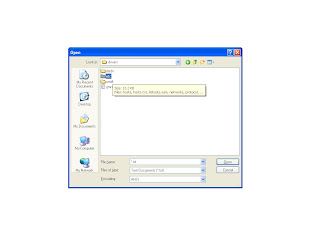
7. pilih etc
7. choose etc
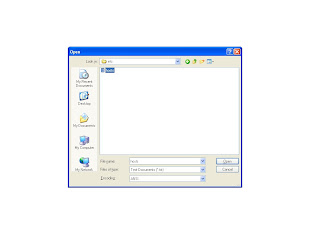
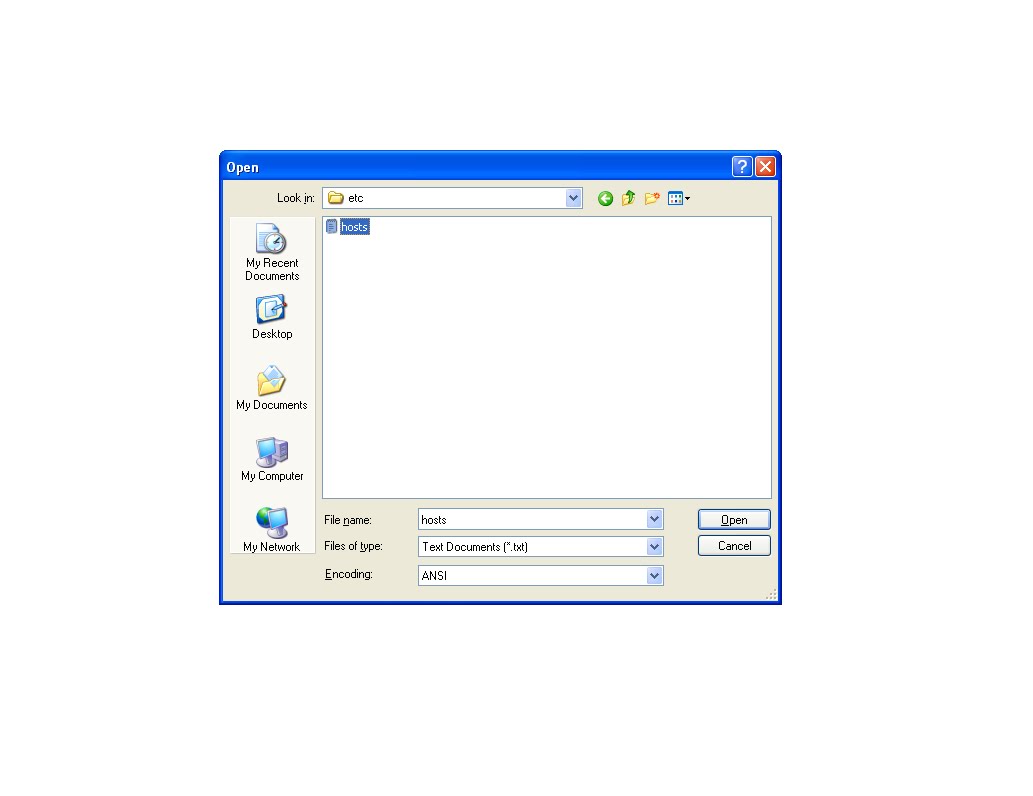
8. pilih hosts
8. choose hosts
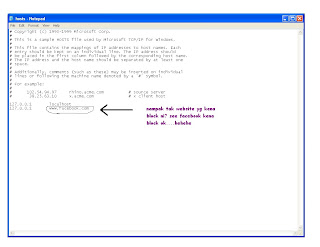
9. then akan ada satu notepad terbuka... cube korang tgk.... aku punya FACEBOOK kena block ok!!
9. then u can see one notepad file... see my FACEBOOK its been blocked!!
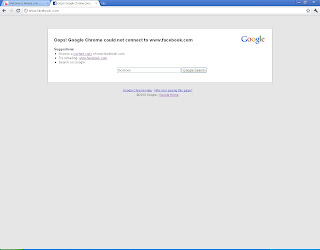
10. enjin pencari tak dapat nk masuk FACEBOOK
10. search enjine cannot find FACEBOOK
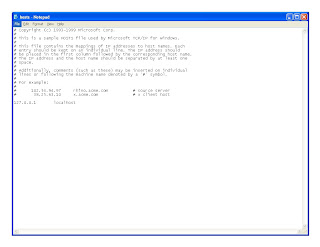
11. untuk unblock kan facebook tu..anda hanya perlu delete barisan bawah sekali yg ada tertera nama web facebook tadi bersama ngan ip tu...tgk seperti di atas saya dah delete kan. ok then SAVE n EXIT ok..
11. to unblock that site.. u just have to delete the bottom line..see the example above ok. then SAVE n EXIT ok.
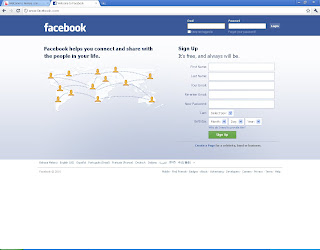
TADAAAAAAAAAAAAAAA..TGK dah boleh masuk facebook....ho yeahhhhhhhhhhhhh........ :D:D See can go in FACEBOOK already..lalalalalaalalalala
Contoh di atas ni jika ofis anda di block FACEBOOK ye..sometimes banyak lagi web dia block..caranya sama je seperti kt atas ni... just DELETE je nama2 website tu....
Kalau block semula pun boleh.... just taip balik nama website apa2 yg korang nk block then tekan save balik .. ok
dan yg paling penting sekali korang kena RUN AS ADMINISTRATORS ..kalau tidak ia takkan akan menjadi
OK SELAMAT MENCUBA N SELAMAT BERHUJUNG MINGGU...TATAAAAA
- tutorial ni hanyala jika pc anda di block ok... not your server!! kalau server tu susah sikit la..... hanya orang yg ada password server tu yg leh buat kan....kecuali kalo korang KAW TEAM ngan IT DEPT....HUAHAUUA
** tutorial ni saya belajar kt u tube** hiihihih